Receive faxes
in your email.
Metcom's fax to email service turns every fax sent to your number into a PDF in your inbox. The people who fax you change nothing. There is no machine to feed and no paper tray to check, and every fax is also logged in the portal.
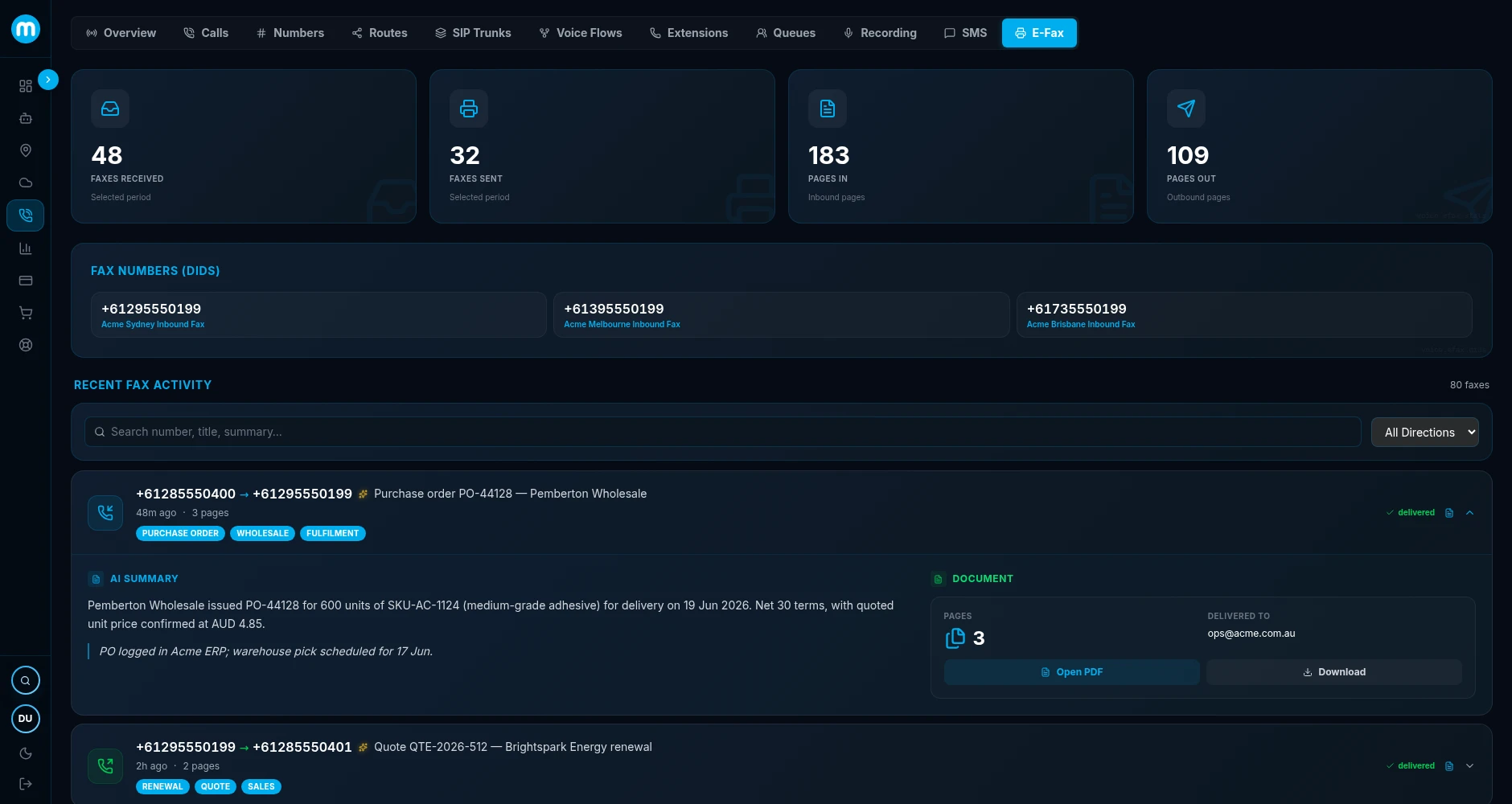
A fax mailbox that suits how your team works.
Each fax number is delivered to the email address you choose, so faxes go to whoever acts on them rather than to whoever walks past the machine.
A personal inbox
Point a number at one person, such as a practice manager or a principal who handles their own correspondence.
A shared mailbox
Point it at a shared mailbox such as referrals@ or accounts@, so the whole team can see what has arrived and who has picked it up.
One number per team
Give reception, accounts and referrals a number each, every one delivered to its own address. Nobody sorts a shared tray.
From their fax machine to your inbox.
- 01
Someone sends a fax to your number, the same way they always have.
- 02
The platform receives it and converts it to a PDF.
- 03
The PDF arrives at the email address set for that number, and the fax is logged in the portal.
- 04
If AI summaries are switched on for that number, the fax also gets a short plain-English summary.
The number on your letterhead stays the same.
Your existing fax number can be ported across, so hospitals, agencies and suppliers keep sending to the number they already have. Porting timeframes depend on your current provider, and we confirm the expected timing before you commit.
If you would rather start clean, take a new fax number instead and point it at the inbox you choose.
Read the eFax terms in our Fair Use PolicyKnow what a fax is about before you open it.
Switch on AI fax summaries for a number and each incoming fax gets a short plain-English summary, so staff can see what it is and who needs it without reading every page. They are off by default and switched on per number, with 1,000 summarised pages per number each month and then 2c a page. Summaries are processed in Australia and never used to train AI, the original fax is always delivered, and summaries should not be relied on for clinical or legal decisions.
More on Metcom eFax
FAQ
Fax to email: common questions
Retire the fax machine.
Tell us which fax numbers you use and where faxes should go, and we will get eFax set up for you.